
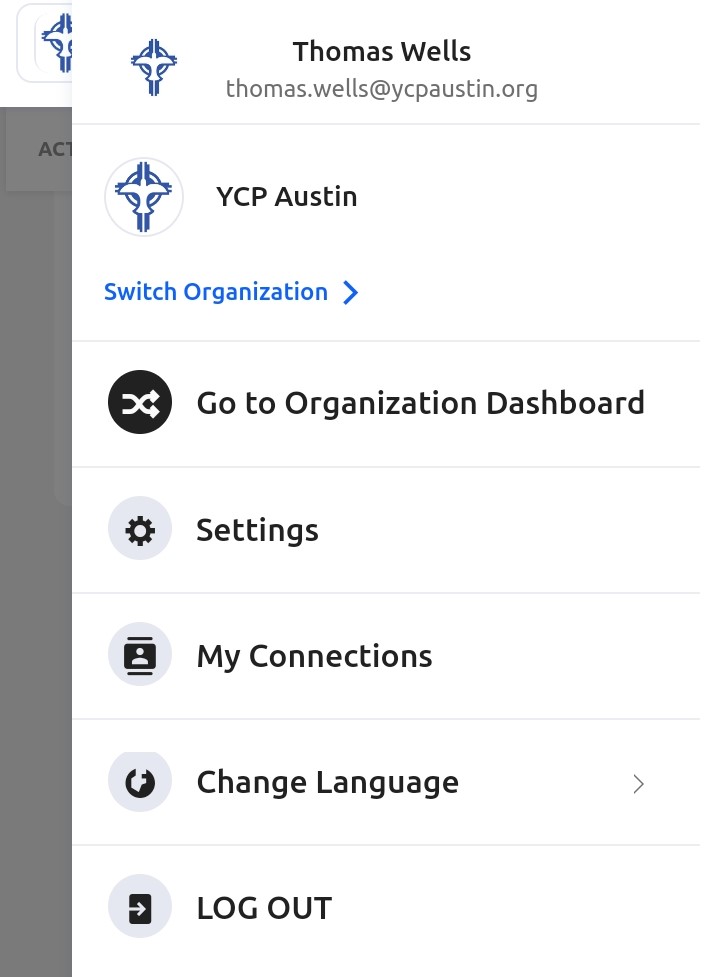
Due to the way GlueUp's database is programmed, all memberships originate from the national instance and then populate down to the chapter instances. When you are in your chapter's instance, ie YCP (Chapter Name), your current membership will not be visible and no memberships will be visible to purchase. To correct this, click your image or initial icon in the top-right corner, then click 'Switch Organization':
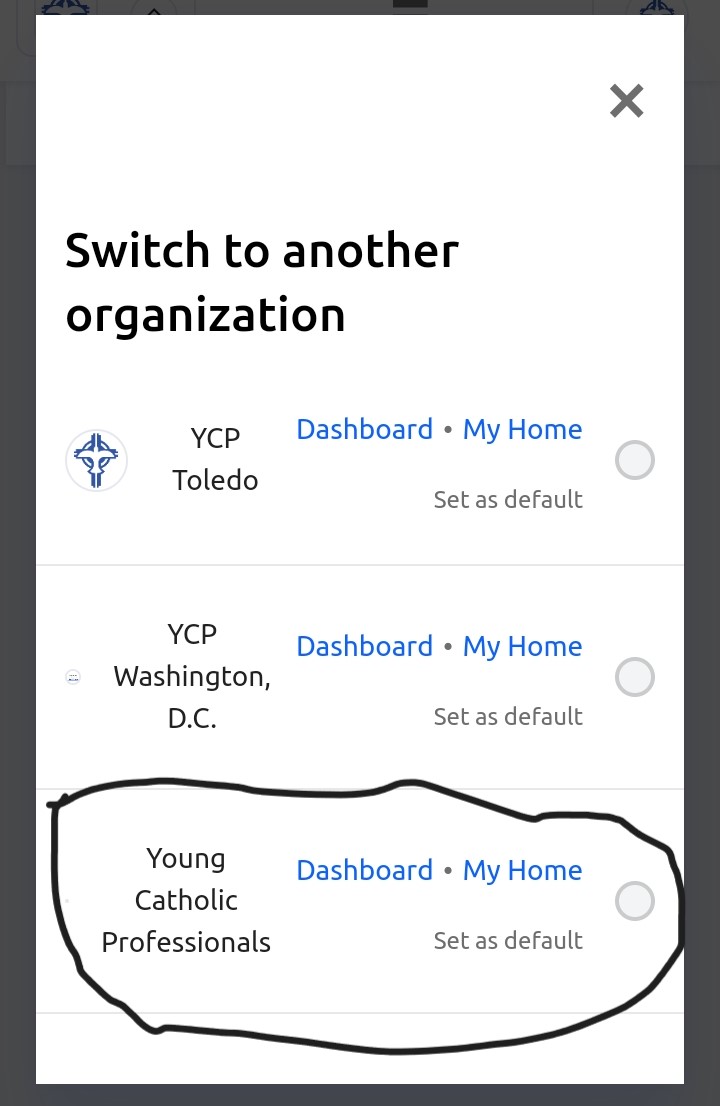
On the next screen, select 'Young Catholic Professionals':
You should now see your current membership and the ability to purchase memberships.