
Membership revenue is paid to the Chapters monthly via Bill.com. By looking at the month of last invoice received, a forecast of expected revenue for the next month can be predicted.
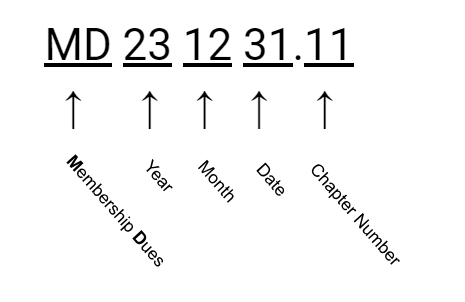
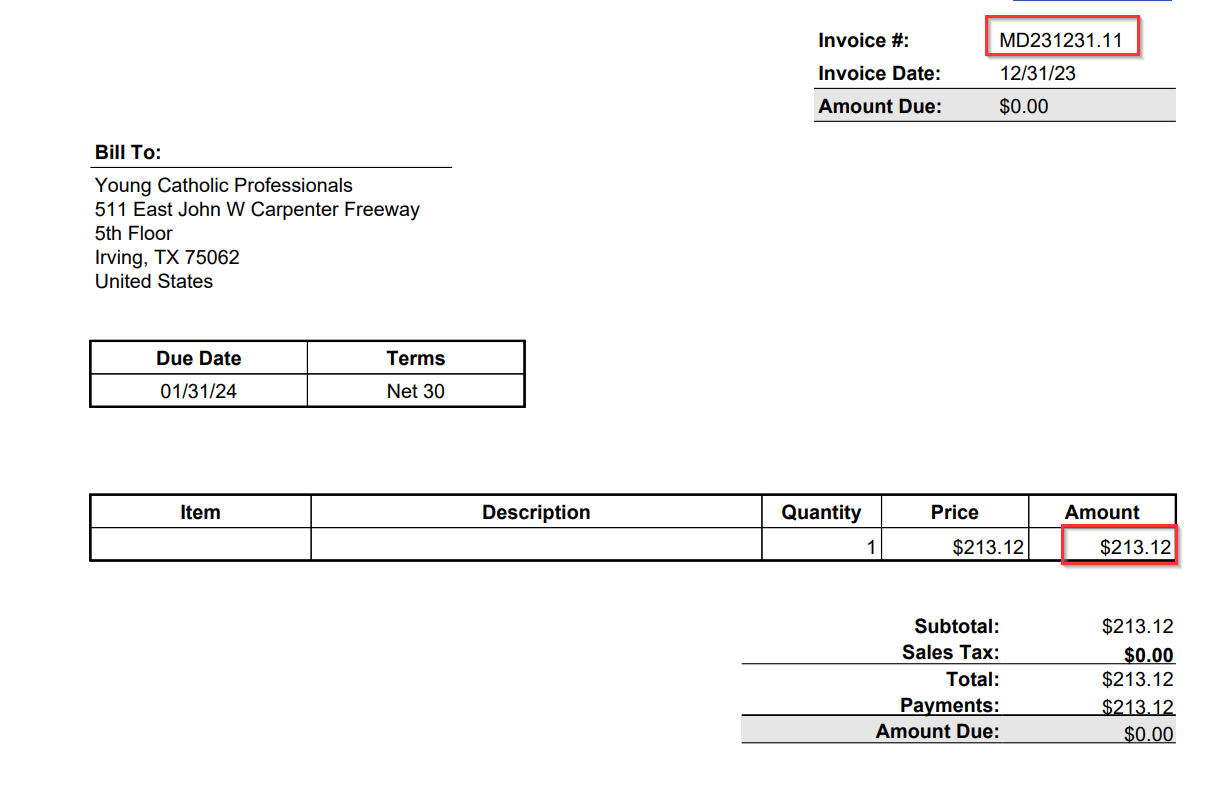
The membership revenue month is depicted in the invoice name. For example, invoice MD231231.11 is the membership revenue for the month of December:
This particular invoice for December was $213.12. It may be helpful to confirm the calculation with existing data before forecasting.
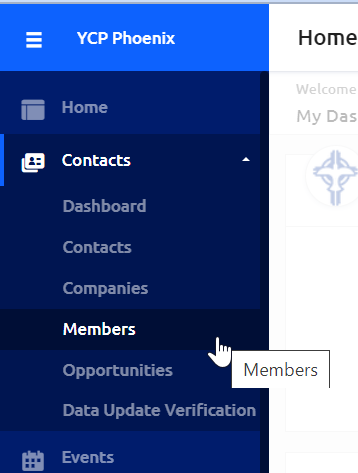
In the Glue Up dashboard, navigate to "Members" under "Contacts."
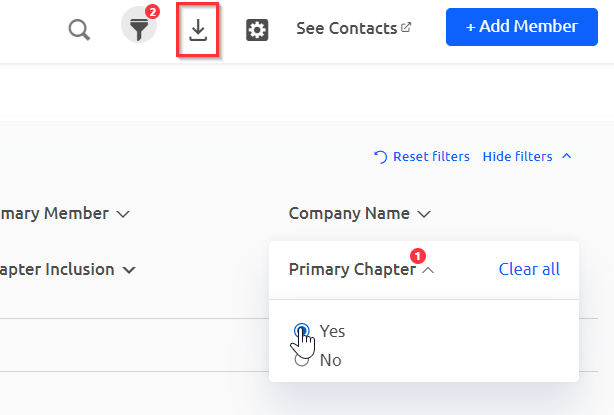
Make sure to toggle "Yes" for the "Primary Chapter" filter, then download the member report.
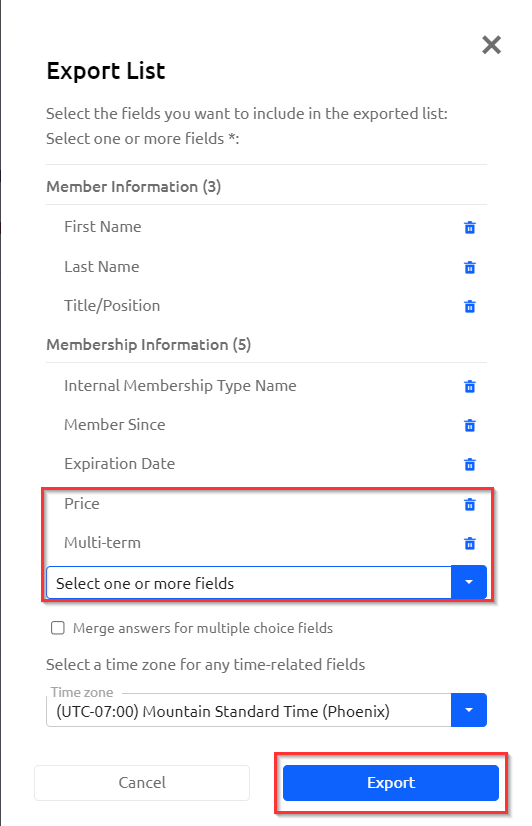
In the Export List pop up window, use the drop down to "Select one or more fields" to add "Price" and "Multi-term" to the report export. Add any other fields of interest, and click "Export."
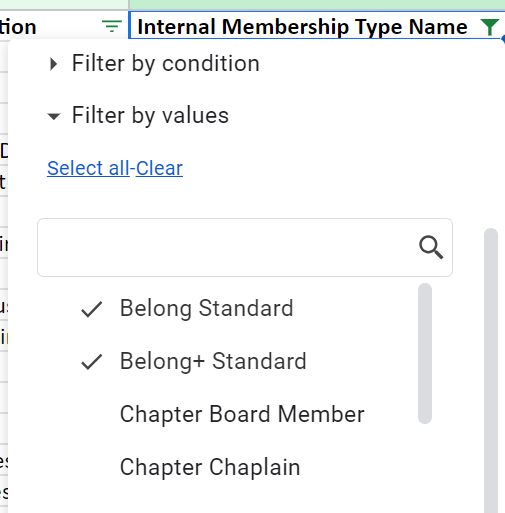
Open the report in Excel or Google Sheets and filter the "Internal Membership Type Name" to only "Belong Standard" and "Belong + Standard."
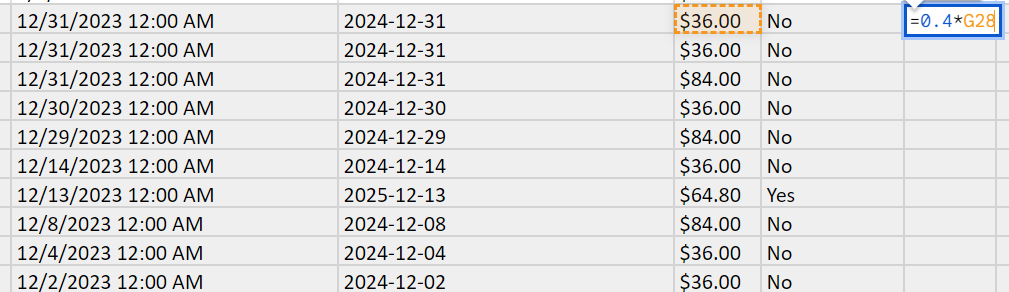
Then filter or highlight to find the month of interest. Here all the December members were found. Using a new column, calculate 40% of the price paid for each membership. This is the amount that is returned to the Chapters.
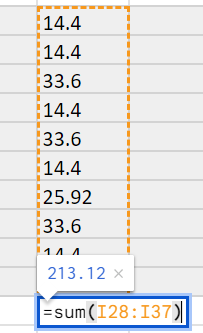
Then sum the total for the month, which in this case is equal to the invoice with a total of $213.12.
The same technique can be followed to forecast an upcoming month's revenue. At the end of January, 40% of each membership purchase can be calculated and summed up. This should match the amount paid out and reflective in the upcoming Bill.com invoice.
Please contact help@youngcatholicprofessionals.org with any questions or concerns.