
If you can't login to Xero and don't remember your password, please try the following steps:
1) Navigate to the Xero login page: https://login.xero.com/
2) Click on "Forgot Password."
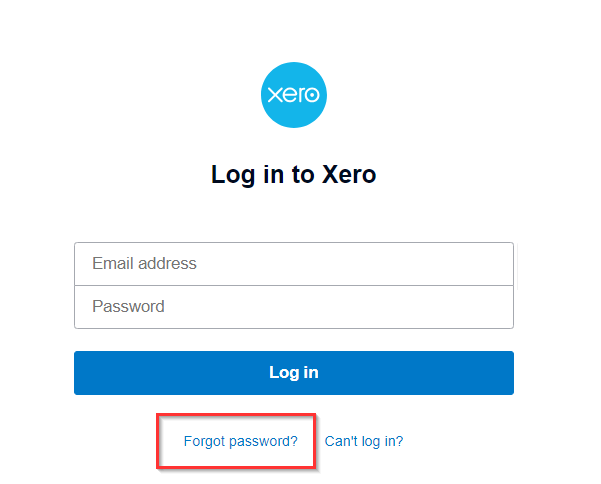
3) It will ask for an email associated with the account. Use finance@ycp<chapter>.org where <chapter> is your YCP chapter name without spaces. For example, finance@ycpsiliconvalley.org. Enter the email and click "Send link."
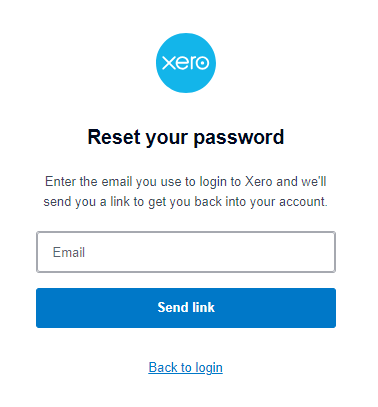
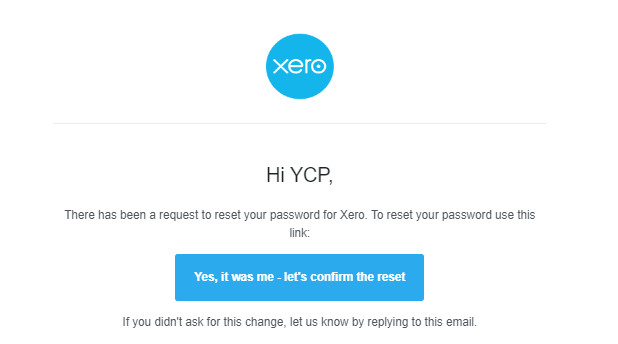
4) Check your personal YCP email account for a reset email. The finance@ycp<chapter>.org email is a group email alias that by default will include the email address for the Director of Finance and the President. If you don't receive an email, please contact help@youngcatholicprofessionals.org to confirm you are properly included in the group email.
5) In the reset email, click "Yes, it was me- let's confirm the reset."
6) In the next window, it will ask for a new password to be reset. Then click "Reset password."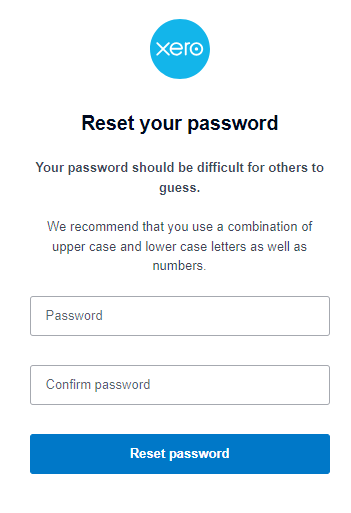
7) From there, you should be able to login using the finance@ycp<chapter>.org email and the new password.
If the steps above don't work, please email help@youngcatholicprofessionals.org for additional troubleshooting assistance.