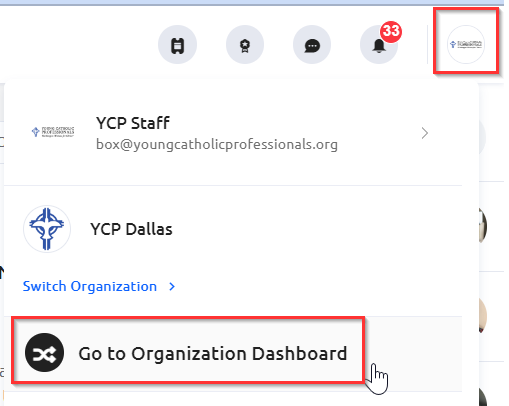
To see your event revenue transaction history and payout to your bank account, you'll want to access the Paygage Dashboard. To do so, login to Glue Up and navigate to your chapter's organizational dashboard if needed.
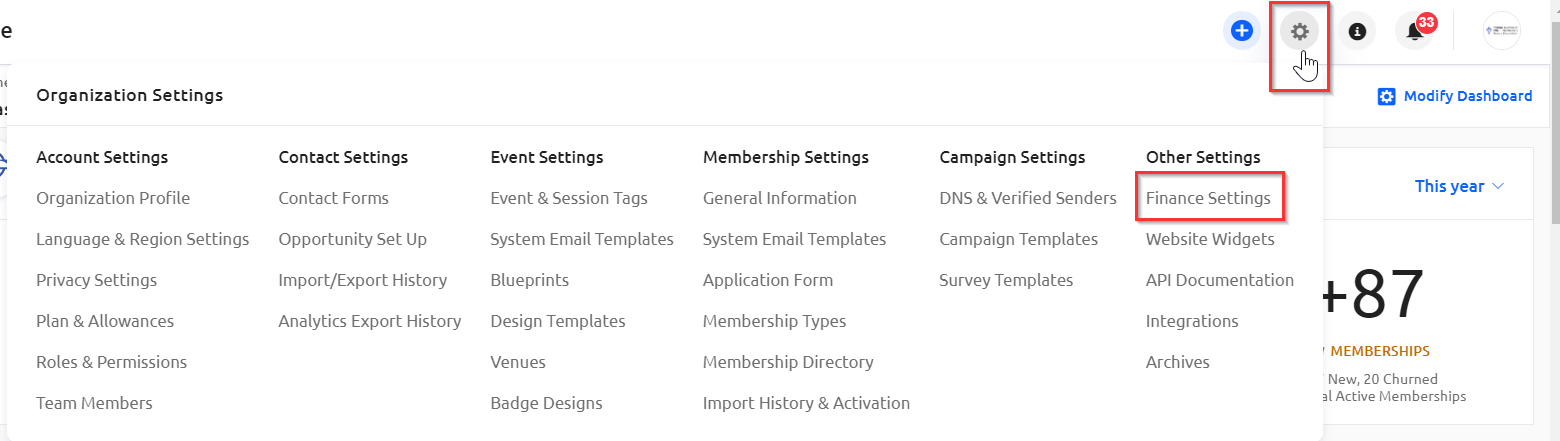
Click on the Settings icon (the gear icon) and select "Finance Settings."
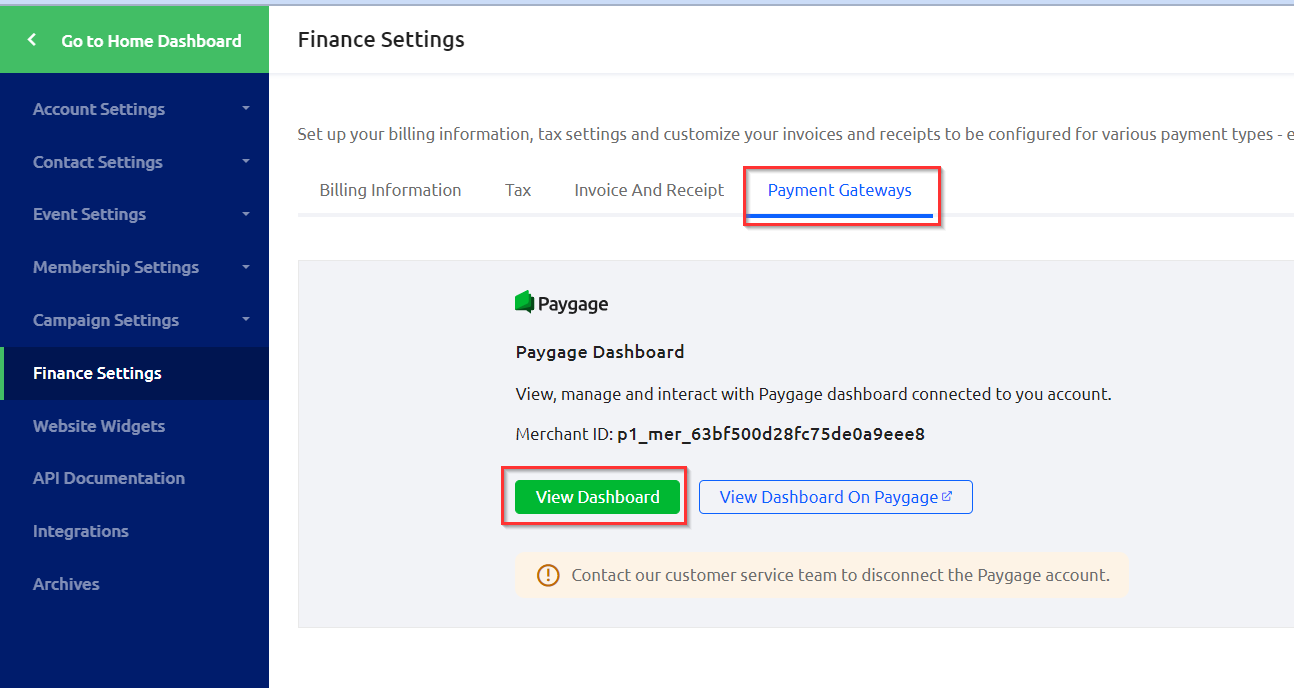
Click on the "Payment Gateways" tab to and click on "View Dashboard." Note, you can select "View Dashboard on Paygage," which will allow you to login to the Paygage platform itself rather than viewing from Glue Up.
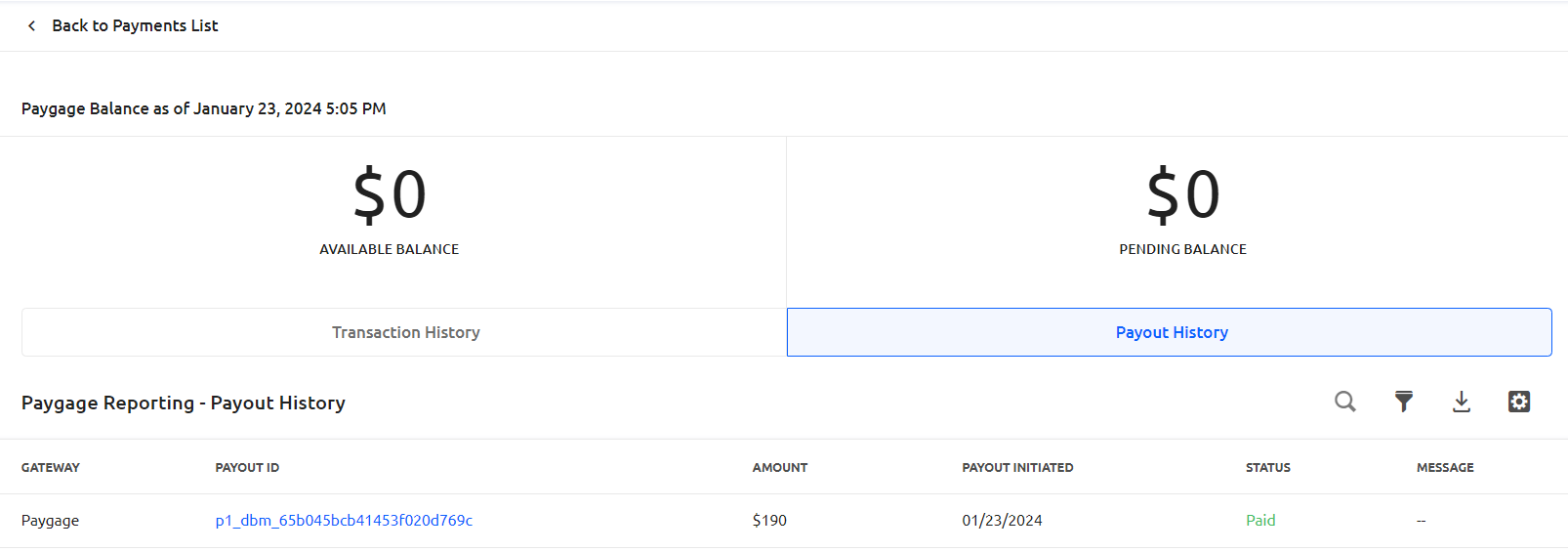
In Glue Up's Paygage Dashboard, you can see the payout history with the corresponding payout IDs. An available and pending balance will be listed as transactions take place. The full event revenue will be paid out in various amounts and intervals, rather than the total lump sum for your event revenue.