
Unfortunately, there are no system notifications for when a new member signs up. Instead, Chapters can use their Members dashboard to view new members.
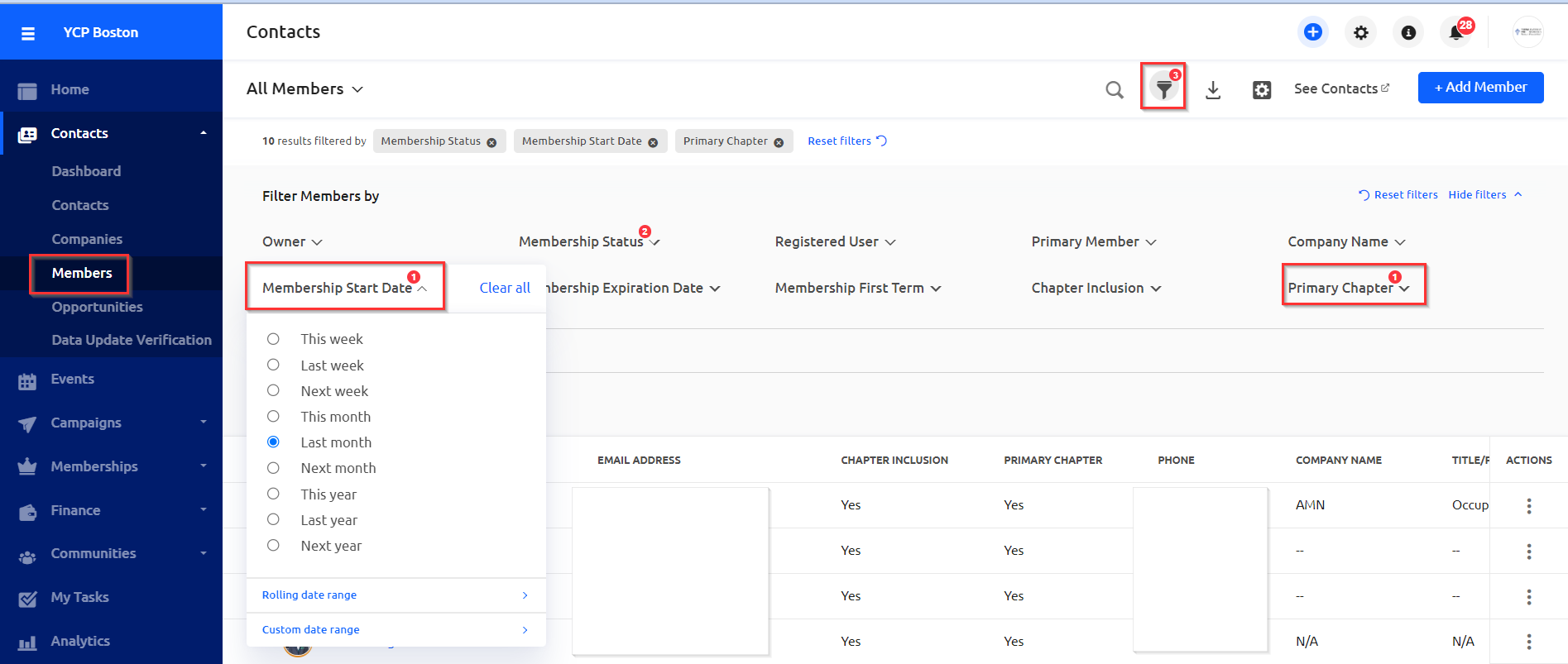
Click on "Members" under "Contacts" in the Chapter dashboard. Then click on the filter icon to customize the member report.
Make sure the "Primary Chapter" filter is set to "Yes" and then use the "Membership Start Date" to view data for a certain date range. Here members who signed up within the last month will be listed.
View the new member details within the dashboard, save as a smart list, or export the member data for additional use by clicking on the corresponding buttons:  ,
,  .
.