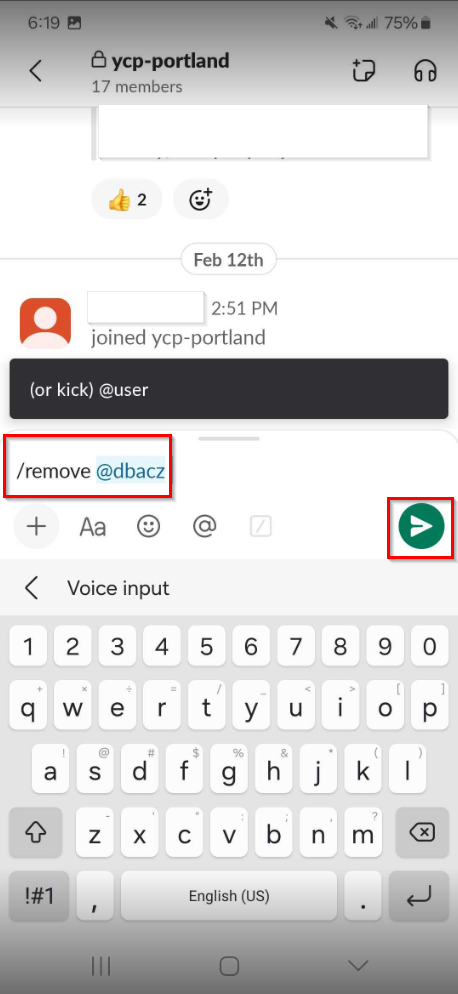
This article shows you how to remove someone from your Slack channel such as a previous leader using either the desktop or mobile version of Slack.
For the desktop version:
1) Open your private channel and click the people icon in the upper right hand corner to view the current members of your Slack channel.

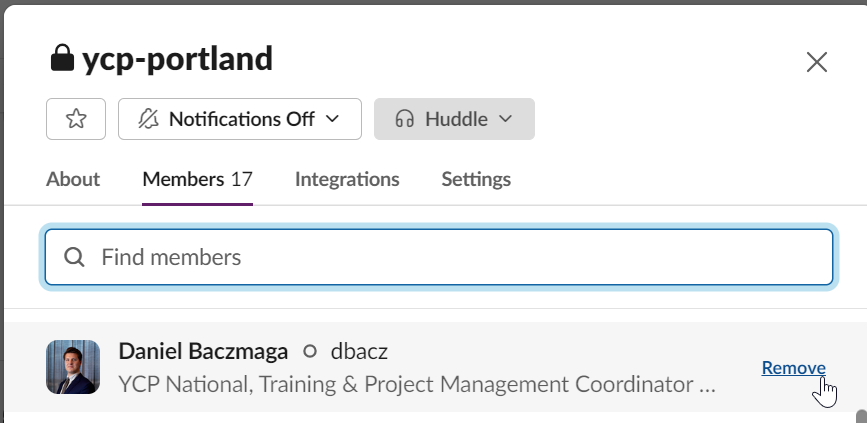
2) Scroll down in the list or search by name. Click "Remove" next to the name of any individual who no longer needs access to the channel.
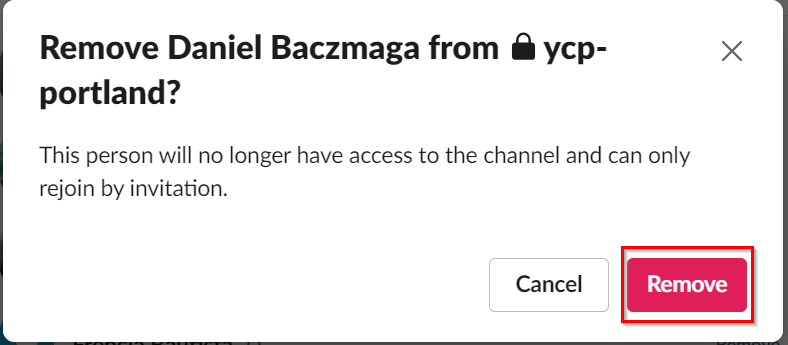
3) Upon doing so, a new window will pop up asking you to confirm the removal. Click "Remove" to proceed.
From the mobile version:
1) Open the private channel you'd like to remove someone from and type /remove @<member> in the message field. Then hit the the paper plane icon to send the message. This will remove the corresponding user from the channel.