In addition to your teammates, you may want additional volunteers at an event to manage the check-in process. Anyone who isn't a chapter leader will need to be added to the Glue Up event as an onsite registration staff member. Take note that any temporary event registration volunteers do not have access to any other parts of the Glue Up platform.
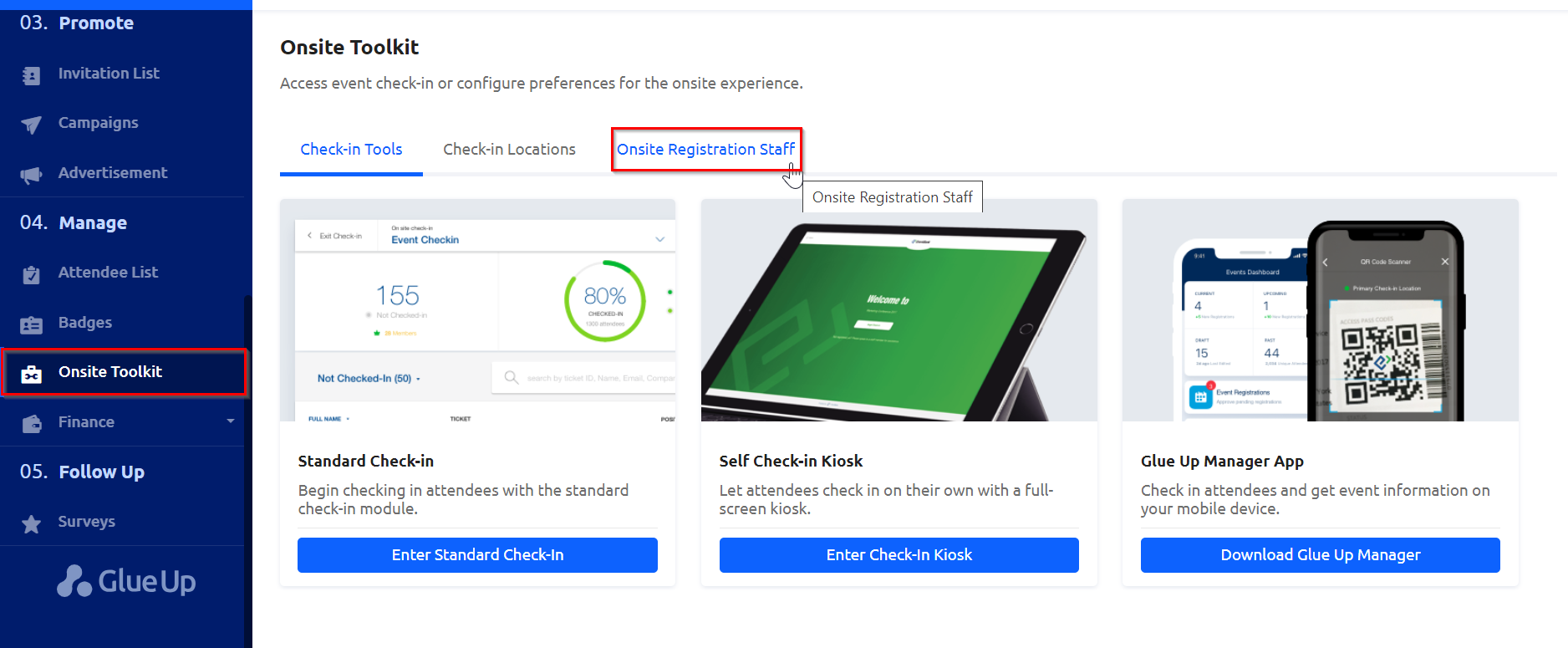
1) In your event management sidebar, click on "Onsite Tool Kit" and the click on the "Onsite Registration Staff" tab to manage your event’s temporary staff.
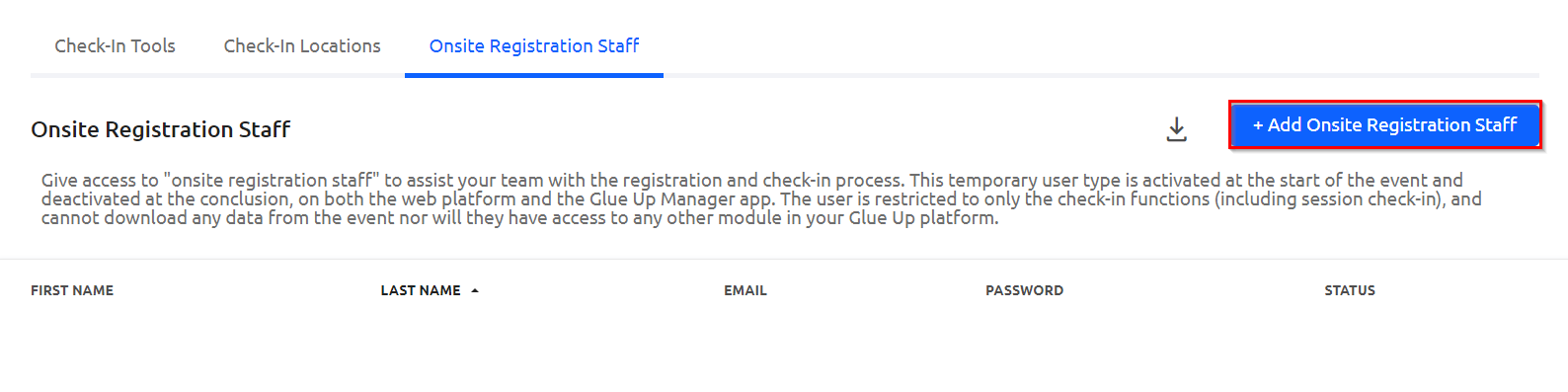
2) Click "+ Add Onsite Registration Staff" button to add a new temporary staff member.
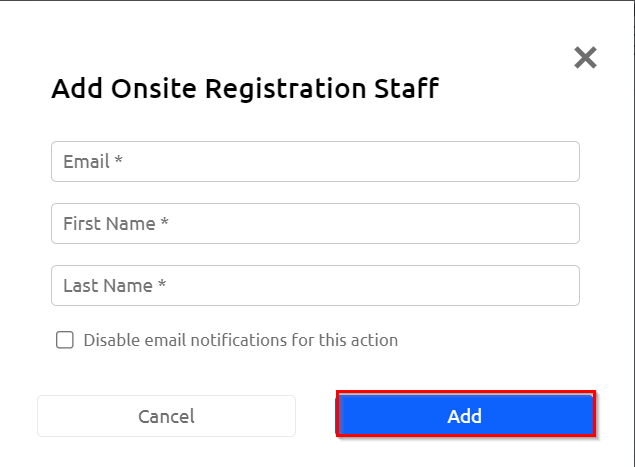
 3) Enter the account holder’s email address, first name, and last name to complete account setup and click "Add."
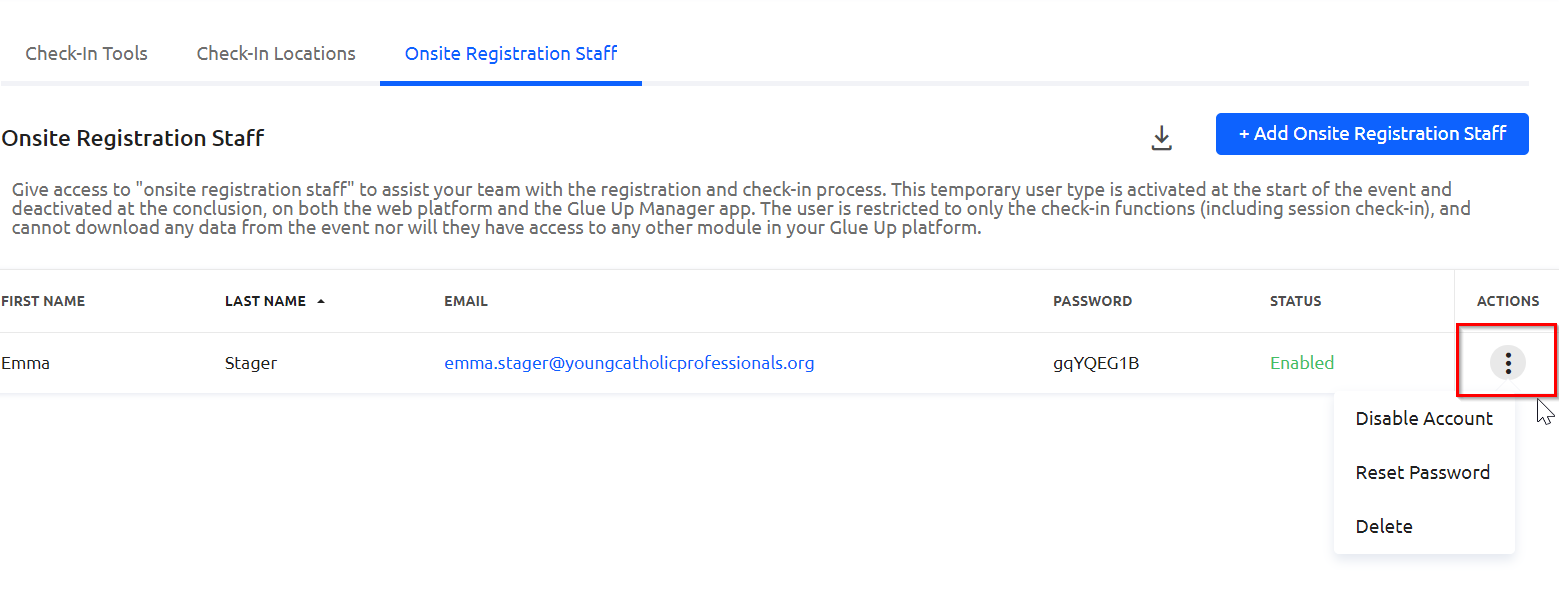
4) You can manage a temporary event staff account by clicking the three dots icon. Options include disabling the account, resetting the account password, or removing the account from the event team.